
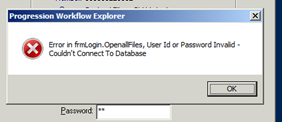
Error in frmlogin.openallfiles, user ID or Password Invalid – Couldn’t connect to Database
Issue:
Corruption of the K:\MACUK\SPPASPRF.DAT password control file.
Resolution:
1) Login to either RDP Server server.
2) Browse to Macola directory.
3) Note the size of the SPPASPRF.DAT file, If it is 0KB then it is corrupt and continue with the following process.
4) Rename SPPASPRF.DAT to SPPASPRF.DAT_oldmmddyyyy
5) Copy and paste SPPASPRF_restored.DAT (Note the size of this file is 1KB).
6) Rename SPPASPRF_restored – Copy.DAT to SPPASPRF.DAT